Blind Descent Tools & Prep
Checklists and reference pages so your Pathfinder rig is ready for Mars.
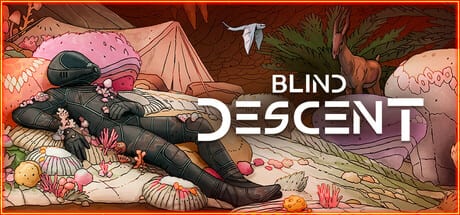
The Tools Hub collects practical prep pages for Blind Descent before Early Access opens on December 2, 2026. The game is still upcoming—use these checklists to validate hardware, storage, and launch-day habits instead of treating the title as a finished 1.0 product.
Start here:
- System Requirements — Steam minimum and recommended specs, 42 GB storage, Windows 11, controller, and cloud notes.
Why a tools section exists
Blind Descent is an Unreal Engine 5 open-world survival adventure set ten miles beneath Mars. Dense jungle caves, storms, and base building are heavier than a lightweight mobile title. Pathfinders who wishlist now still have time to:
- Confirm OS and GPU DirectX 12 readiness.
- Free 42 GB plus headroom for shaders and future EA patches.
- Test controllers if you prefer gamepad (full controller support is listed on Steam).
- Enable Steam Cloud expectations and screenshot folders for bug reports on Discord.
- Bookmark gameplay primers: Getting Started, survival basics, and the co-op guide.
Launch-week prep checklist
Two weeks out
- Run Windows Update on a 64-bit Windows 11 install matching Steam’s listed baseline.
- Update GPU drivers; verify VRAM against the system requirements page (4 GB min / 6 GB rec class GPUs).
- Measure free disk space on the drive you will install to—do not fill a nearly full SSD.
One week out
- Wishlist Blind Descent on Steam (and note Epic/GOG storefronts if you prefer those launchers).
- Join official channels from the links hub so patch notes are not a surprise.
- Decide solo vs online co-op (up to four) and whether cross-play friends need matching launchers.
Day before
- Pre-allocate evening time for the first Holowatch mapping session—fog of war learning is part of the fun.
- Skim mutation and gear hubs if you like theorycrafting, but keep expectations flexible for live EA balance.
- Prepare a simple note template for bug reports: map area, co-op or solo, mutation/infection state, reproduction steps.
Launch day
- Install from Steam, Epic Games Store, or GOG depending on your purchase.
- Verify cloud sync toggles if you jump between PCs.
- Start with scanner and shelter fundamentals before chasing every spore.
What this hub is not
We do not host trainers, cracked builds, or fabricated save editors. Tools here mean player preparation and reference. Damage calculators and interactive maps can be added later when Early Access exposes stable data—inventing numbers now would mislead readers.
Hardware honesty
Minimum specs target playability, not maximum foliage and underground storm fidelity. If you sit near the Intel Core i3 / 16 GB RAM / 4 GB VRAM floor, plan lower presets and shorter view distances. Recommended builds (i5-class or better, 32 GB RAM, 6 GB VRAM-class DX12 GPU) leave more room for co-op sessions where four players load creatures and base props together.
Laptop players should watch thermals during long crafting sessions in the abandoned pioneer base; vines may be fictional, but CPU thermal throttling is not.
Pair tools with guides
After your PC checklist is green:
- Learn onboarding on Getting Started.
- Track the calendar on release date and Early Access plans.
- Review Pathfinder roles on the players hub.
Return to this Tools Hub whenever a patch raises the storage footprint or Steam changes the listed requirements—we will refresh the child pages from official store text.
Frequently Asked Questions
Quick answers about Blind Descent survival, mutations, and co-op.
Is Blind Descent out yet?
No. Early Access launches December 2, 2026 on PC storefronts. Use this hub to prepare, not to install a finished 1.0 build today.
What tool page should I open first?
Read the system requirements page for Steam minimum/recommended specs, 42 GB storage, Windows 11, controller, and cloud support.
Do I need a high-end PC for co-op?
Co-op can be heavier than solo. Aim closer to recommended RAM and VRAM if you host or join full four-player sessions.
Will you add interactive calculators?
Only after Early Access provides stable public data. Until then, checklists and requirements references stay the focus.